Designing Your Digital Identity: Crafting a Standout Business Card with TheSmartyQR
Your digital business card is not just a means of sharing contact information; it's a reflection of your professional identity. In a world where first impressions matter more than ever, designing a standout digital business card with TheSmartyQR is essential. In this blog post, we'll provide you with design tips and tricks to create a visually appealing and memorable digital business card that leaves a lasting impression.
1. Choose the Right Colors
Color psychology plays a crucial role in how people perceive your brand and message. When designing your digital business card with TheSmartyQR, consider your brand's color scheme and choose colors that resonate with your industry and audience. Bold, eye-catching colors can capture attention, while muted, harmonious colors can convey professionalism.
2. Prioritize Clarity and Readability
Your contact information is the most critical part of your digital business card. Ensure that it's easy to read and stands out. Use legible fonts and a font size that doesn't strain the reader's eyes. High-contrast text against the background helps maintain readability.
3. Add a Professional Photo
Including a high-quality, professional photo of yourself can personalize your digital business card and make it more memorable. Ensure that the photo aligns with your brand and the image you want to convey.
4. Use Whitespace Effectively
Whitespace, or negative space, is the empty space around the elements on your card. It's not wasted space; it's a design choice that helps focus the viewer's attention on the essential elements. Don't overcrowd your card with information or graphics; instead, use whitespace strategically to create a clean and organized look.
5. Incorporate Your Logo
If you have a company logo, feature it prominently on your digital business card. It reinforces your brand identity and adds a professional touch to your card. Ensure that the logo doesn't overwhelm the design but complements it.
6. Include Interactive Elements
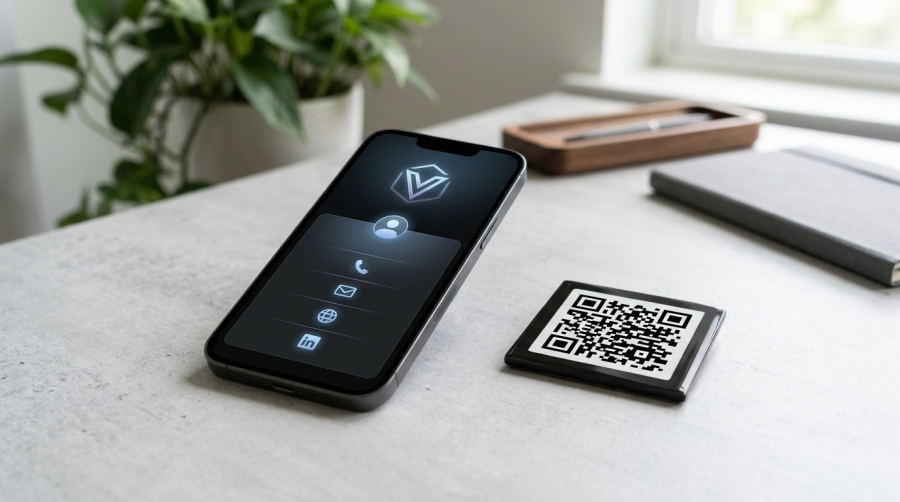
One of the advantages of TheSmartyQR is its interactive capabilities. Consider adding elements like clickable social media icons, links to your website or portfolio, and even a video introduction. These interactive features engage the viewer and provide additional avenues for connecting with you.
7. Keep It Consistent
Consistency in design is key to a professional-looking digital business card. Use the same color scheme, fonts, and branding elements as your other marketing materials to maintain a cohesive identity.
8. Test for Mobile Responsiveness
Ensure that your digital business card design looks great and functions well on various devices, especially smartphones. Test it on different screen sizes to make sure all elements are accessible and responsive.
9. Highlight Your Unique Selling Proposition (USP)
What sets you apart from the competition? Your digital business card is an excellent place to highlight your unique selling proposition. Use compelling language or a tagline that succinctly conveys your value.
10. Seek Feedback
Before finalizing your digital business card design, seek feedback from colleagues, friends, or design professionals. Fresh perspectives can help you identify areas for improvement and refine your card's visual impact.
Conclusion
Your digital business card created with TheSmartyQR is more than just contact information; it's an opportunity to make a memorable impression. By following these design tips and tricks, you can craft a standout digital business card that reflects your professional identity and leaves a lasting mark in the minds of your contacts.